
VIDEO SHARE VOD · BUILD YOUR OWN VIDEO DESTINATION
A complete video site, shaped around your audience.
Upload, organize, review and publish your catalog. Give viewers a clear place to discover, watch and return.
Build a video sharing community, a streaming library, an episodic Short Drama site or a specialist collection on your own WordPress domain. Keep control of your content, branding, contribution policies and monetization choices.
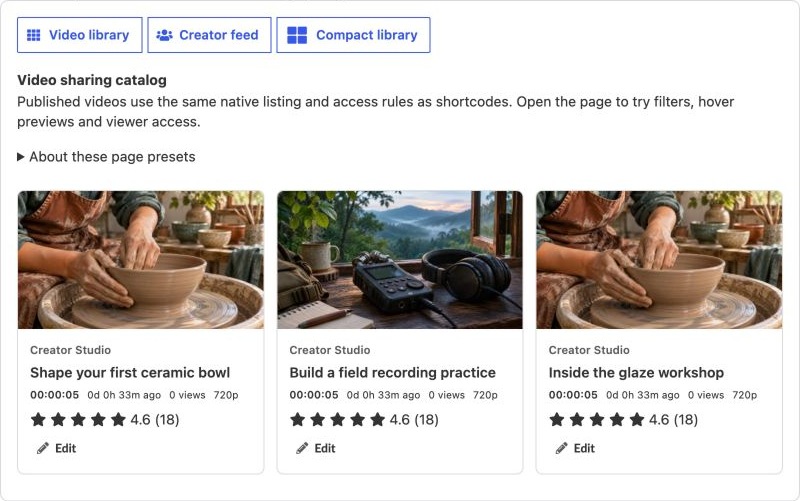
From the first upload to a growing catalog
Start with the free WordPress plugin. Add compatible tools when your workflow needs them.
1. Bring in your videos
Use frontend batch uploads or import existing server files. With compatible hosting and FFmpeg, prepare playback files, snapshots, hover clips and HLS segments in the conversion queue.
2. Review and organize
Use native video posts, categories, tags and playlists. Set contributor and publishing permissions, review drafts and approve promotional media separately from the full video.
3. Publish and welcome viewers
Build pages with native editor blocks or shortcodes. Streaming catalog presets combine mixed video/series discovery with the five native layouts, saved page controls and paginated filtering. Choose a compatible player and test the experience as the intended viewer before launch.
Make the right video easy to find
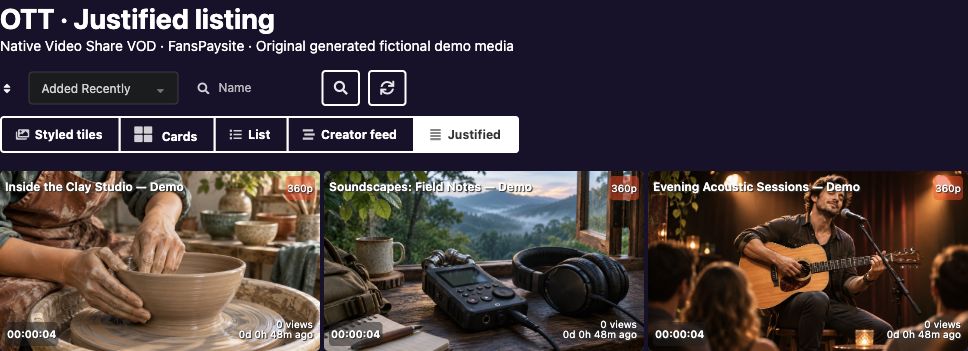
Choose Styled tiles, Cards, List, Creator feed or Justified rows. Search by title, filter by category and tags, and sort the collection. Keep controls compact or expose the browsing options your audience needs.
Use approved posters and hover previews to introduce content, then open a contextual video page with creator details, duration and related videos. Optional Rate Star Review adds independent stars, likes and reviews.
Native HTML5, Video.js and WordPress player options support different sources. Test the actual codecs, HLS delivery and devices you plan to support.
Episodic stories and streaming libraries are included
Short Drama and OTT are free setup recipes. Their shared tools can also be enabled for other suitable site types.
Short Drama: make the next episode obvious
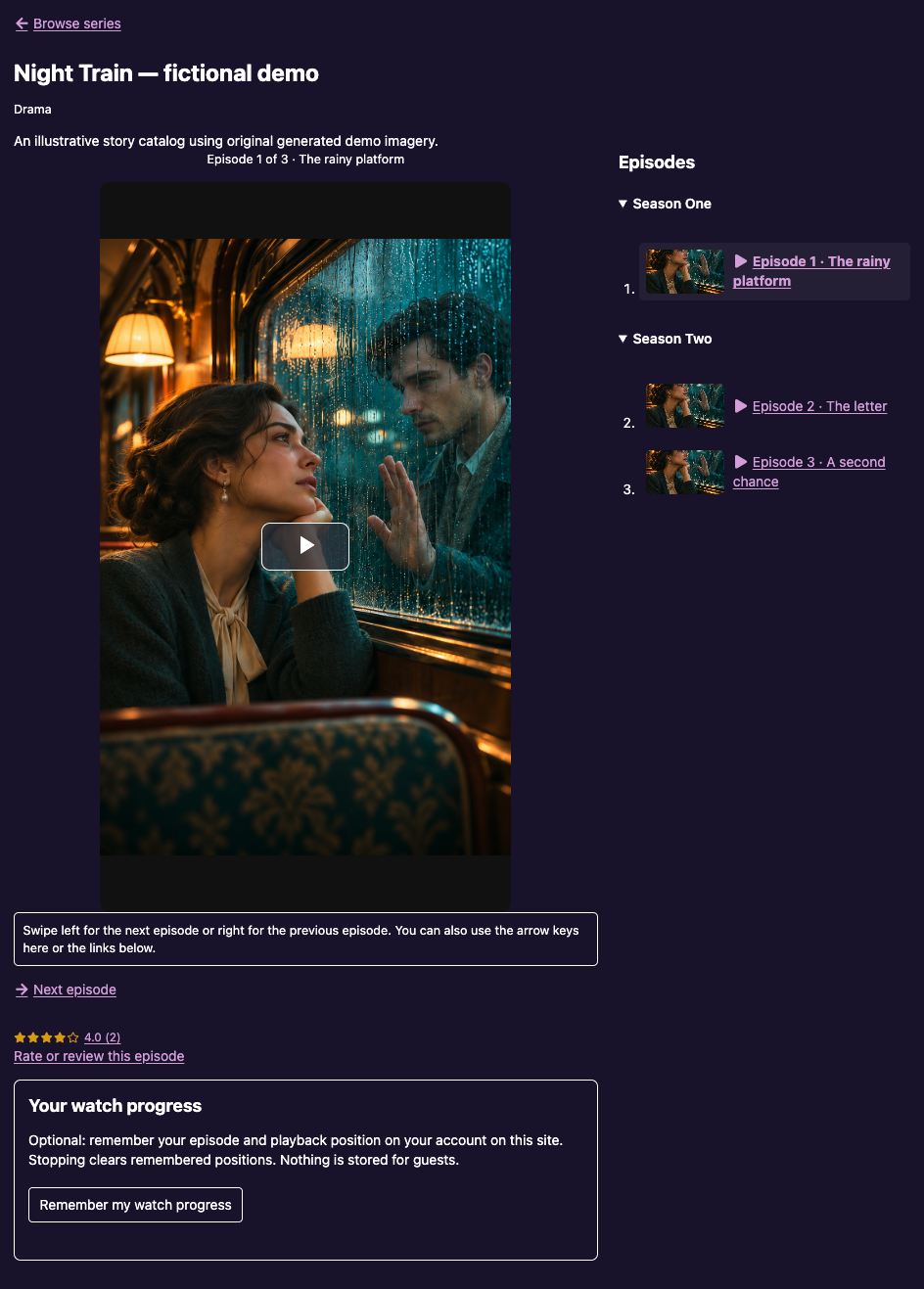
Organize ordered episodes into series, seasons and genres. Use portrait playback, an episode picker, swipe navigation and optional private watch progress. Add series and discovery editor blocks with safe previews. Review eligible first-N-free episode prices before applying them through optional MicroPayments.
For recurring production work, optional Short Drama Pro adds a private board, reviewed episode batches and native season release planning.
OTT: bring the catalog together
Present movies, series, documentaries and concerts with title, type, genre and publisher age-guidance filters. Offer a private mixed watchlist, opt-in watch history, simple local suggestions and approximate recent-play trending.

Start with a recipe that fits your site
Review starter pages and settings in Site setup. Presets retain existing content, purchases, access rules and provider settings. Refine the design and listing controls to suit your audience.
OTT Streaming
A mixed catalog of films, series, documentaries and concerts.
Short Drama
Portrait episodes, seasons, genres and a clear next step.
Video Library
A searchable, organized home for your collection.
Creator Memberships
A creator feed with optional purchases and member access.
Tutorials & Lessons
Topic-based recordings and practical demonstrations.
Fitness & Wellness
Browsable sessions, playlists and returning-viewer tools.
Faith & Community
Talks, sermons and community video archives.
Films & Documentaries
Visually rich collections with contextual previews.
Video Podcasts
Interviews and episode archives organized for discovery.
Cooking & Skills
Practical demonstrations grouped by topic.
Music & Performances
Concerts, sessions and performance archives.
Gaming & Replays
Replay collections, clips and creator uploads.
Add the tools your business needs
The free video foundation works independently. Optional plugins and a theme extend specific parts of the workflow.
| Tool | What it adds |
|---|---|
| Video Share VOD — Free | Video contribution, review, playlists, five listing layouts, players, Short Drama, OTT and shared personal discovery. |
| MicroPayments — Optional | Supported content sales, creator subscriptions, site memberships and administrator-reviewed fixed-price bundles. Current purchase, expiry and other access rules still apply. |
| Rate Star Review — Optional | Native stars, likes and review workflows. Ratings are separate from purchase and playback authorization. |
| Media Capture — Optional | Browser webcam, screen and microphone recording with a supported upload/record/review workflow. |
| Broadcast Live Video — Optional | Supported channel archives in an on-demand collection. Live streaming needs its compatible server setup. |
| FansPaysite — Optional theme | A compatible site presentation with light, dark and system appearance. Video and payment plugins retain their own permissions and access decisions. |
Launch with a clear setup path
- Install the free plugin and choose a site recipe.
- Review the proposed pages, contributor permissions and publishing settings.
- Add a small real video, choose a listing and test playback.
- Configure optional purchases or memberships, then test buyers, nonbuyers and expired access.
Self-hosting gives you control; storage, delivery, hosting and optional provider costs still apply.
Prefer a configured starting point?
Turnkey plans can save setup time with compatible tested hosting, configured video tools and upload limits, production resources, professional installation, support and consultation.
Selected plans include full-mode applications and Pro tools. Check the current plan for its exact software, resources and services.
What does protected video hosting require?
A restricted page does not protect an openly reachable original or HLS origin. Use properly configured private storage and delivery for restricted media. Existing public files are not automatically moved or made private. FFmpeg, supported codecs, working cron and suitable hosting resources are needed for the media operations you enable. Private HLS/CDN delivery and DRM require separate qualification.
Are all recipes separate products?
No. Recipes are included starting points in Video Share VOD. They combine shared features, starter pages and suitable presentation choices. Optional payment, recording, rating and theme tools are configured separately. Specialist Pro work is not included unless a currently published product or selected plan explicitly provides it.
Where do I find detailed settings and support?
Open the plugin Documentation menu for current shortcodes and player options. Follow the Quick Start for initial setup and use WordPress.org support for the free plugin. Test each configured access and delivery route on your actual hosting.