
VIDEO SHARE VOD · WORDPRESS VIDEO SITE BUILDER
Build a video site of your own.
Bring your videos together. Give your audience a place to discover, watch and return.
Launch a searchable video library, an episodic Short Drama site or a streaming catalog on your own WordPress domain. Start with the free plugin and a guided site recipe, then shape the experience around your audience.
Prefer a prepared starting point?
Save installation and hosting setup time. Explore launch options →
What kind of video site will you build?
Choose the audience first. Each recipe guide shows relevant features, native screenshots and a practical setup path.
Video Library →
A searchable home for uploads, recordings and curated collections.
Short Drama →
Portrait episodes, seasons and genres, with a clear next episode.
OTT Streaming →
Bring films, series, documentaries and concerts into one catalog.
Creator Memberships →
Creator-led feeds with optional video purchases and member access.
Tutorials & Lessons →
Make demonstrations and topic-based recordings easy to browse.
Fitness & Wellness →
Organize sessions and playlists for a returning audience.
Faith & Community →
A welcoming archive for sermons, talks and community videos.
Films & Documentaries →
Give licensed productions a focused, visually rich showcase.
Video Podcasts →
Build a browsable home for interviews and episode archives.
Cooking & Skills →
Group practical demonstrations into useful topic collections.
Music & Performances →
Showcase recorded concerts, sessions and performance archives.
Gaming & Replays →
Collect replays, highlights and contributor videos in one place.
Original generated recipe illustrations. Recipes are included starting points, not separate plugin purchases. Review starter pages and settings before publishing.
Help viewers find their next video.
Choose a presentation that fits the catalog, then give people a reason to return.
A library with room to explore
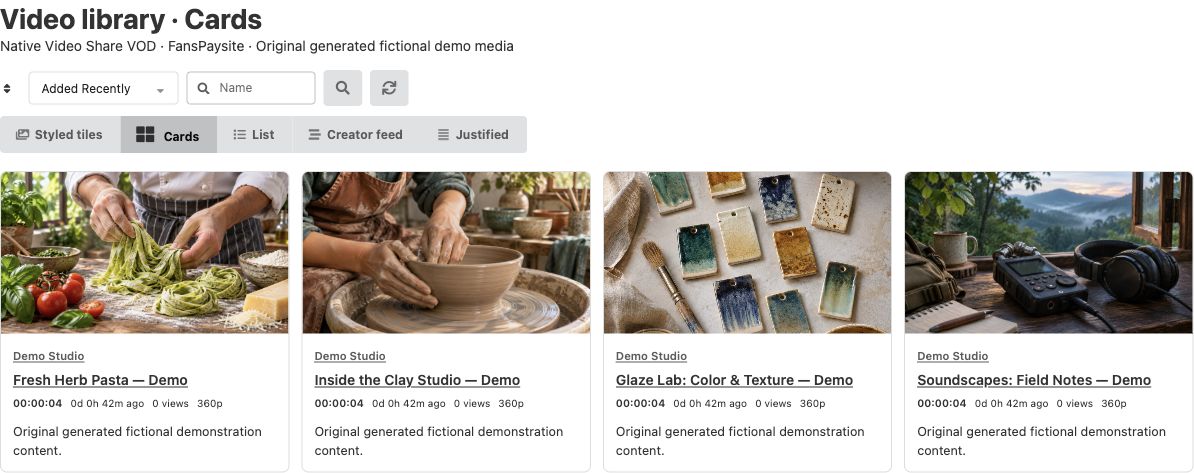
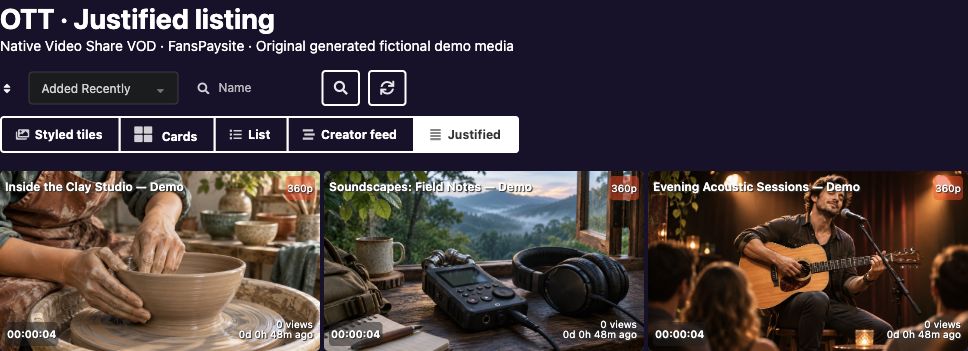
Choose Cards, List, Creator feed, Styled tiles or Justified rows. Use search, filters, sorting and approved promotional previews to help people discover your collection.
For an OTT-style catalog, add content types, genres and publisher age guidance. Separately enable private watchlists, viewer opt-in history, simple local suggestions and approximate recent-play trending.
Stories that are easy to follow
Arrange Short Drama episodes into series and seasons. Viewers can use portrait playback, an episode picker, swipe navigation and optional private watch progress.

From first upload to a video people can find.
A practical workflow for one publisher or a community of permitted contributors.
1. Add your collection
Upload batches or import existing server files. Optional Media Capture adds webcam, microphone and screen recording. Explore upload tools →
2. Review and organize
Check readiness, titles, playlists and contribution permissions. Review posters and trailers separately from full-video access. Explore publishing tools →
3. Publish your pages
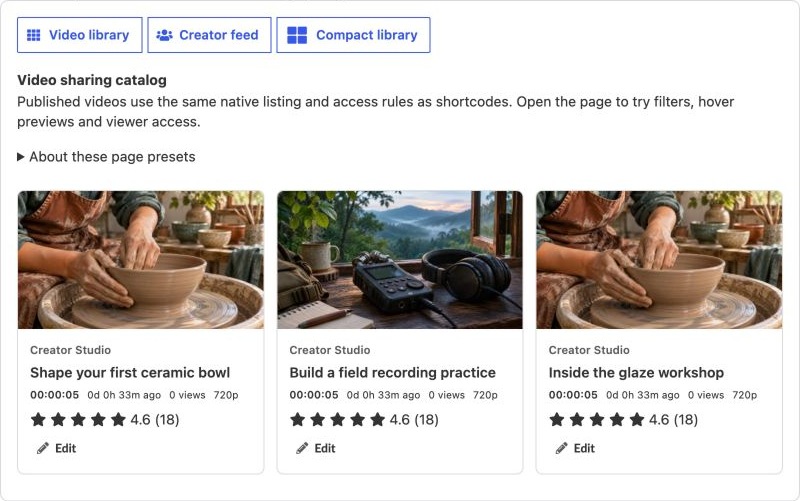
Use native WordPress blocks or shortcodes. Choose listing presets and test playback as the intended viewer. Follow the Quick Start →
Spend less time building the starting point.
Guided setup proposes suitable pages and settings. Keep a familiar WordPress publishing workflow, adapt the page presentation, and follow the launch checklist.
Use the same foundation for different audiences. Add payment, recording, review or live tools when you need their specific workflow.
Choose how your audience gets access.
Start with your content and contribution policies. Add optional commerce when it suits your business.
Publish openly or sell access
With optional MicroPayments, offer supported video purchases, creator subscriptions or site memberships. Administrators can review fixed-price season/bundle offers and eligible introductory episode prices. Current purchase terms and viewing permissions continue to apply.
Add the supporting tools
Optional Rate Star Review adds stars, likes and reviews. Media Capture adds browser recording. Broadcast Live Video can bring supported channel recordings into your library. FansPaysite offers light, dark and system appearance; other compatible themes can be used too.
Your domain. Your brand. Your publishing decisions.
Build an owned WordPress destination with control of your content, customer data, contribution policies and monetization choices.
Make the experience yours
Choose the site identity, page layout and viewing journey. Start with a focused catalog and expand as your project grows.
Keep a base you can develop
Work with native WordPress content, your own media and compatible integrations. Use the free plugin independently on suitable hosting.
Plan for real operating costs
The plugin does not require a VideoWhisper revenue share. Hosting, storage, conversion, delivery and payment processing still have their own costs.
Choose how you want to launch.
Install the free plugin yourself, or save deployment time with a configured VOD site plan.
BUILD IT YOURSELF
Start with the free plugin.
Bring a WordPress site and compatible video hosting. Choose a recipe, add a small video and follow the setup guide.
SAVE SETUP TIME
Begin with a configured video site.
Choose compatible tested hosting, configured video tools and upload limits, production resources, professional installation and support.
Selected plans include full-mode apps, Pro plugins, priority support and consultation. Check the current plan for its actual software, resources and services.
Adding live sessions too? Explore live site plans and their compatible streaming infrastructure →
A few useful details before you start
What is included, and what is optional?
Video Share VOD provides the free video-site foundation, setup recipes, listings, players and the released Short Drama/OTT web tools. MicroPayments, Rate Star Review, recording/live tools and FansPaysite are optional integrations with their own settings. A recipe does not install every integration or automatically publish content. Compare the tools.
What do video processing and private playback require?
Use suitable storage, codecs, configured FFmpeg/FFprobe and working cron for the preparation features you enable. A restricted page does not protect a publicly reachable original. Existing public files remain public unless you separately secure delivery. Private HLS/CDN delivery and DRM require separate qualification. Read the delivery guidance.
How do watch history, guidance and memberships work?
Watch history is a viewer opt-in choice; local suggestions and approximate trending have the scope described in the OTT guide. Publisher age guidance is a browsing aid, not certified classification or a parental lock. Optional memberships and purchases retain their native terms, expiry and other access rules. MicroPayments also has a private renewal-health report for supported wallet funding.
Where can I get help?
Use the Quick Start, the feature guide and WordPress.org plugin support. For setup services or a project discussion, contact VideoWhisper. Test your real files, access settings and delivery on the hosting and devices you intend to support.