
Video Share VOD
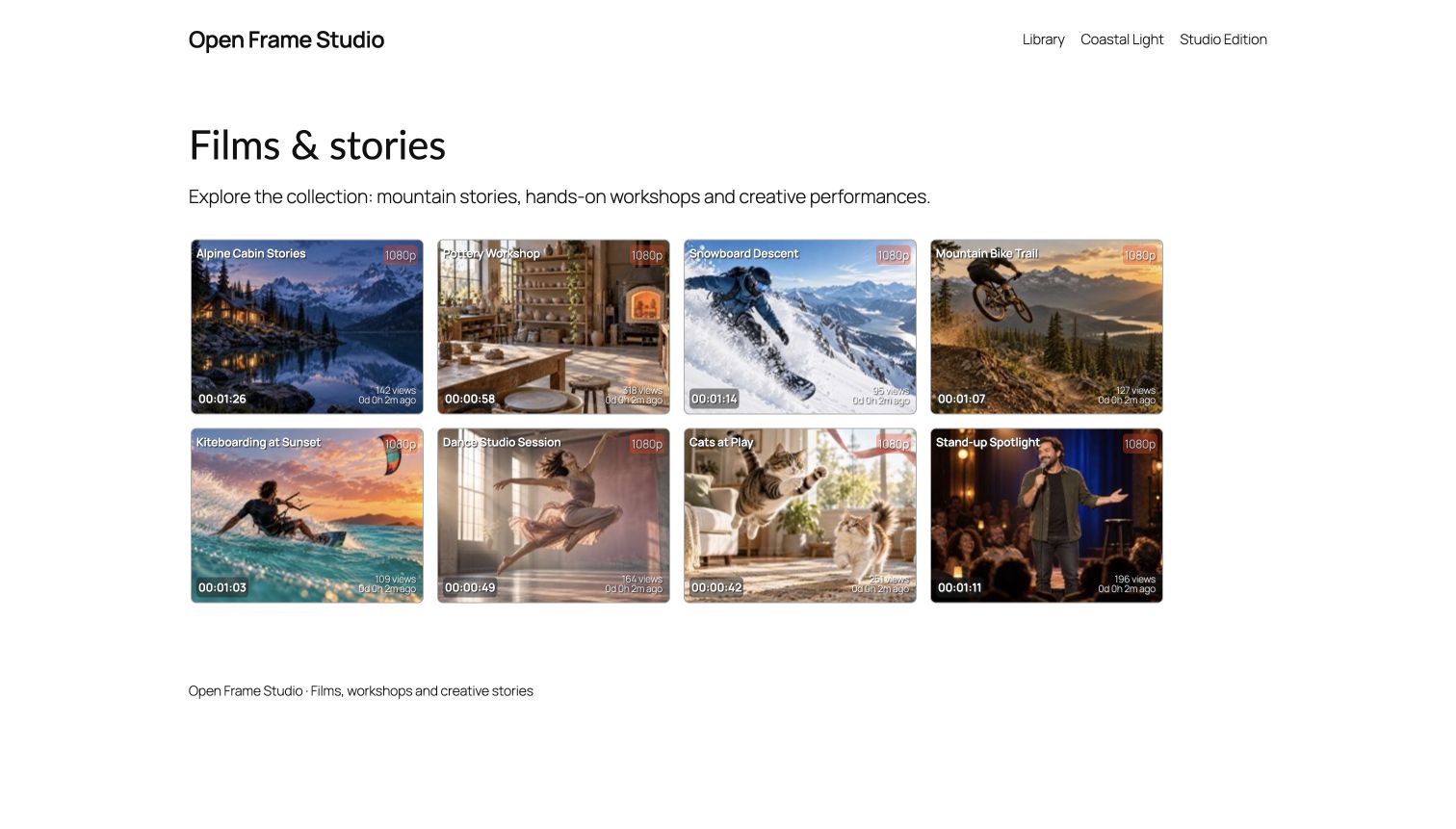
Present your video library as Styled tiles, Cards, List, Creator feed or Justified rows. Use compact Fomantic layout buttons while visitors explore, or hide the selector for a fixed presentation. Optional Rate Star Review integration adds independently selectable stars and likes. Existing content, ownership, purchases and video access rules are retained.
Download the plugin ZIP Install from WordPress.org Try the video-listing Playground demo

Keep full videos and public promotions separate.
Video Share VOD manages videos independently. Add the optional Media Capture plugin for a shared upload and recording workspace with video, audio, webcam photos and screenshots; connect MicroPayments for configured paid content and creator subscriptions.
- Check before saving: the optional Media Capture workspace explains current destination requirements. Correct a blocked requirement and retry the retained source before its first native handoff; earlier uncertain saves still need native review.
- Prepare new private originals in the background: save an upload, leave the page and return to preparation status and its native review draft.
- Approve public previews deliberately: generate private posters and bounded trailers, review them, then separately approve selected public copies. Full-video access stays with the native video and payment rules.
- Review creators and retention: site approval modes and revocable individual approval retain native permissions. WordPress privacy tools minimize workflow details while retaining originals, saved content and access records.
Configure private storage outside public web roots, trusted local FFmpeg/FFprobe and cron before using this private workflow. Existing public originals are retained and remain public. Shared or cached promotional copies cannot be recalled. Playback depends on the browser and source codec; private HLS/CDN delivery is separate.
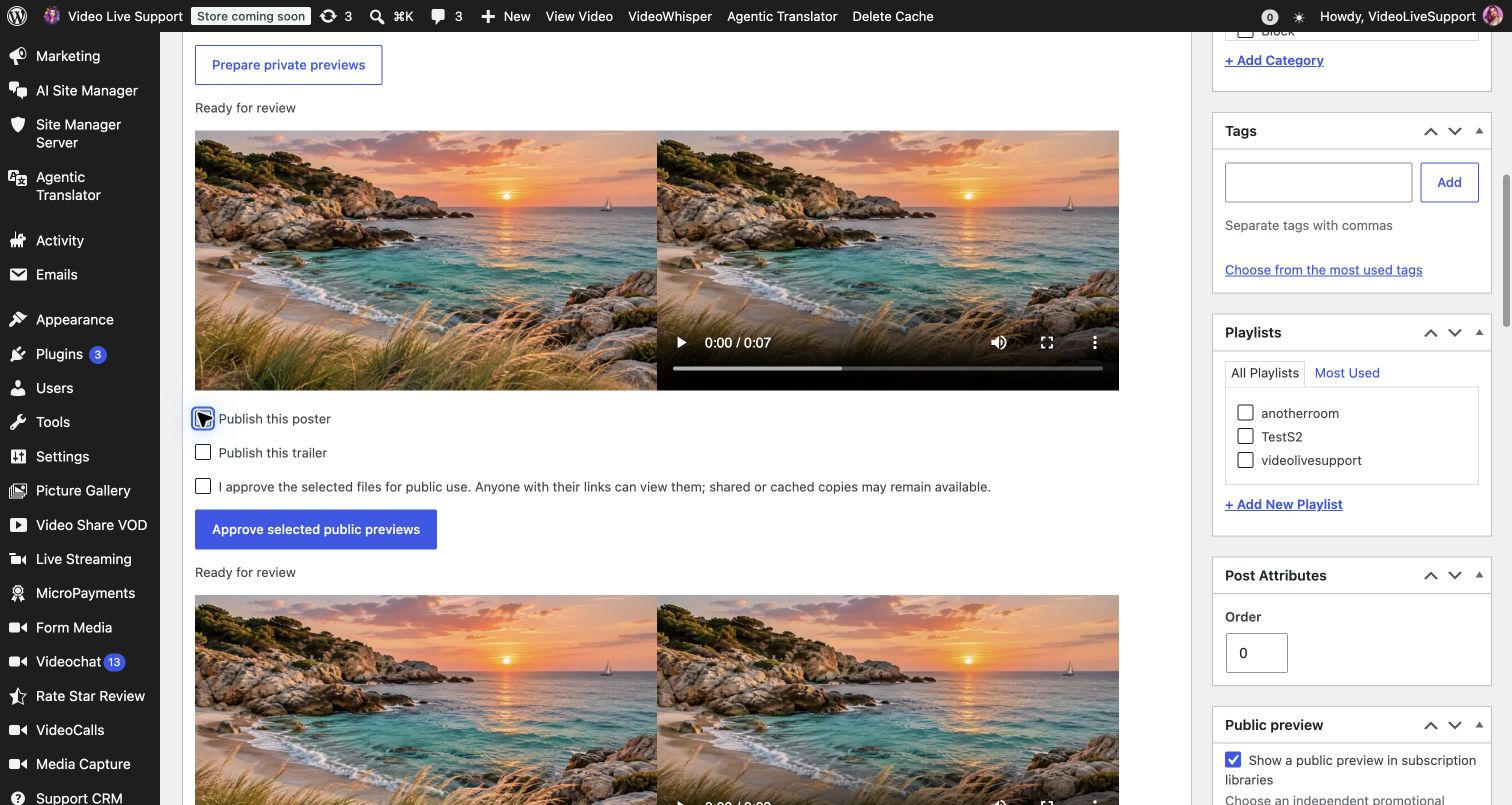

Reviewed setup and optional capture
Open Video Share VOD → Creator setup, choose a review-first presentation preset and preview the exact changes before saving. Follow the advanced links for native upload, publishing and storage permissions. Existing uploads, imports, listings, editors and players continue to work independently.
The optional Media Capture plugin combines uploads and browser capture in one creator entry. Accepted videos become native VOD drafts with an editor link, while the original Media Library attachment is retained. Picture Gallery handles photos and screenshots, and MicroPayments handles audio downloads when those destinations are enabled. The separate Comments Recorder preserves its comment and form associations.
New shared-workflow videos default to draft review. An administrator can explicitly select direct publication for eligible new attempts, but native publishing permission, sharing policy and playable media are still required. Changing the setting later does not promote an earlier review draft on retry. This workflow assigns no price, subscription tier, purchase or access grant.

Setup and compatibility
- Check the current WordPress and PHP requirements; prefer a supported PHP branch for new hosting.
- Follow the setup guide, choose upload permissions and storage, then test an upload and playback. Conversion/HLS require compatible FFmpeg and server settings; the static Playground video-listing demo does not run a production conversion service.
- For creator subscriptions and mixed-content workspaces, configure the optional MicroPayments plugin. For subscription-card pictures, activate Picture Gallery. Choose independent promotional images for public previews. For aggregate-catalog hover clips, explicitly approve a separate short MP4 attachment in the video’s Public hover preview controls. Approval publishes a public copy; disabling it stops new listing use but cannot revoke shared or cached bytes.
Payment integration and media privacy
Direct myCRED Sell Content on videos is currently unsupported and access stays denied. Use the qualified MicroPayments content-policy route after configuring it; native paid-channel integrations require supported site-local provider records. Shared or unknown provider configurations remain unavailable. A paywall or thumbnail is not protected-origin delivery: review the upload/origin policy with your host before promising private media.
Video layouts and controls


Earlier interface examples
Historical WordPress listing, playback and denial captures, retained to illustrate those workflows. Neutral generated demo content is used.


No comment yet, add your voice below!